Finding a file w/o a mask

Advertisement

Bill_Fields
Joined:
Posts:
21
Location:
Portland, OR

Finding a file w/o a mask

v6.7.1 32bit
Don't remember it happening before, it definitely didn't work w/ v6.7
SFTP-3
GUI - Explorer
No error

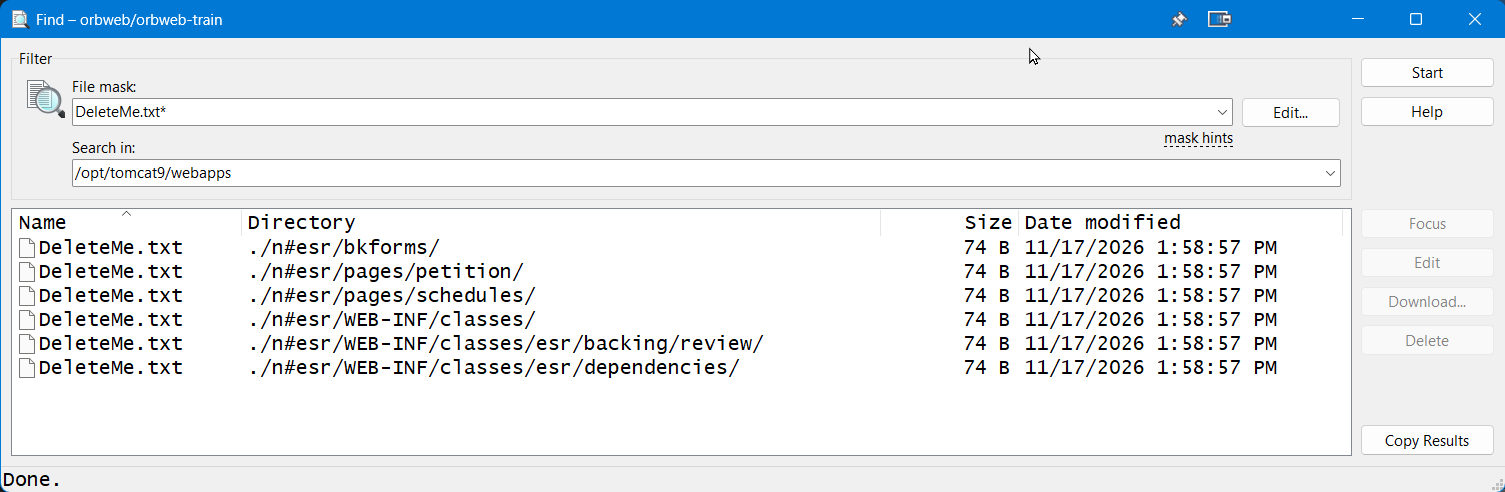
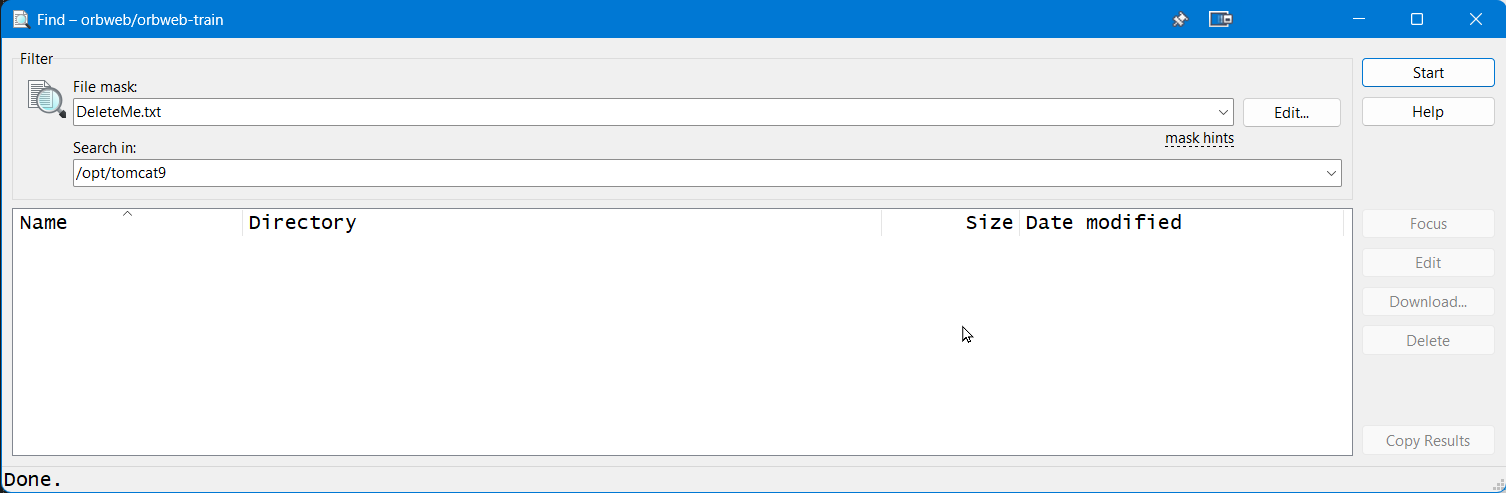
Using the Find Files feature, when I give it a filename (no wildcards, no mask) there are no results, even though I know the file exists in subfolders of the current folder.

For example:

DeleteMe.txt finds nothing
*DeleteMe.txt finds nothing
DeleteMe.txt* finds all occurrences

2026-11-17_16-25-42.png

2026-11-17_16-35-45.png

Reply with quote

Advertisement

martin◆
Site Admin
martin avatar
Joined:
Posts:
43,224
Location:
Prague, Czechia

Re: Finding a file w/o a mask

Thanks for your report. Though, I cannot reproduce the problem.

Doesn't the file gave a space (or other whitespace) at the end of its filename? Like DeleteMe.txt .
If it does not, please attach a full session log file showing the problem (using the latest version of WinSCP).

To generate the session log file, enable logging, log in to your server and do the operation and only the operation that causes the error. Submit the log with your post as an attachment. Note that passwords and passphrases not stored in the log. You may want to remove other data you consider sensitive though, such as host names, IP addresses, account names or file names (unless they are relevant to the problem). If you do not want to post the log publicly, you can mark the attachment as private.

Reply with quote

Advertisement

You can post new topics in this forum