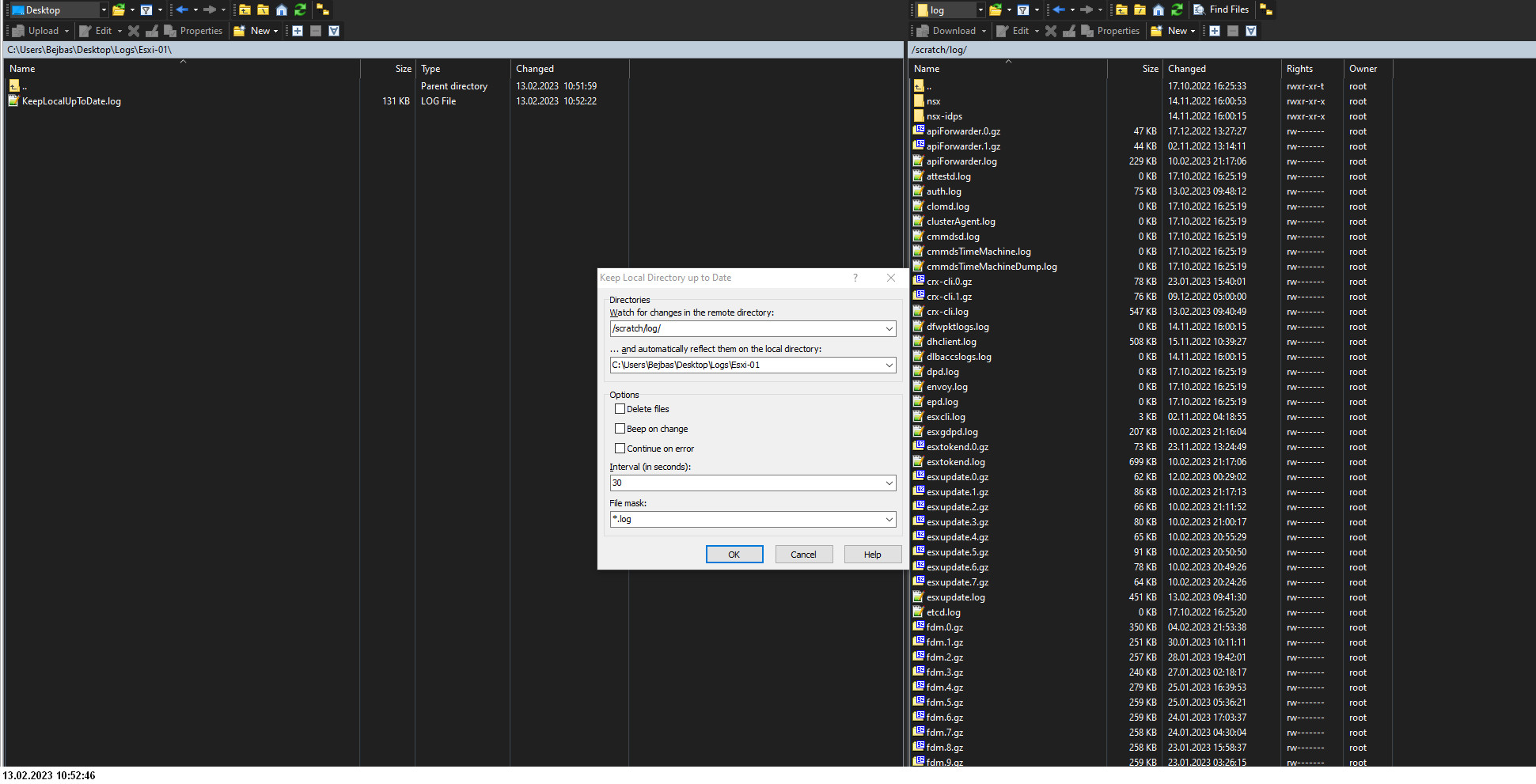
Keep local directory up to date | file mask doesn't work

Advertisement

Bejbas
Joined:
Posts:
4
Location:
Poland

Keep local directory up to date | file mask doesn't work

Hi!
First of all thanks for this app. It's realy realy good!
I am looking for any way to modify script:
Keep local directory up to date (download changed files from remote SFTP/FTP server)
which allows me to keep up to date but files with .log extensions.
I was trying modify PowerShell adding line:
# @option       Mask -config textbox "&File mask" "*.log"
but it doesn't work.
I will be appreciate for your help.
Thank you in advance

Reply with quote E-mail

Advertisement

martin◆
Site Admin
martin avatar
Joined:
Posts:
43,039
Location:
Prague, Czechia

Re: Keep local directory up to date | file mask doesn't work

Do you mean that you want to restrict the synchronization to *.log files only?
Are you planning to use the script manually? Or as an extension in WinSCP GUI?
If the first => so if you just want to hard-code the restriction, use:
$transferOptions = New-Object WinSCP.TransferOptions
$transferOptions.FileMask = "*.log"
$differences =
    $session.CompareDirectories(
        [WinSCP.SynchronizationMode]::Local, $localPath, $remotePath,
        $delete, $False, [WinSCP.SynchronizationCriteria]::Time,
        $transferOptions)
(not tested)

Reply with quote

martin◆
Site Admin
martin avatar

That only adds the option to the dialog. Now you need to link that option to the code, the way for example the RemotePath/LocalPath are.

Reply with quote

Bejbas
Joined:
Posts:
4
Location:
Poland

I got it!
It's working perfectly.

Last question I hope.
Is there any option to exclude folder/folders. I wanted to use: |*/nsx/metrics/ but it doesn't work.

Reply with quote E-mail

Advertisement

Advertisement

You can post new topics in this forum